Features of the Visual Studio extension


Term check in the editor

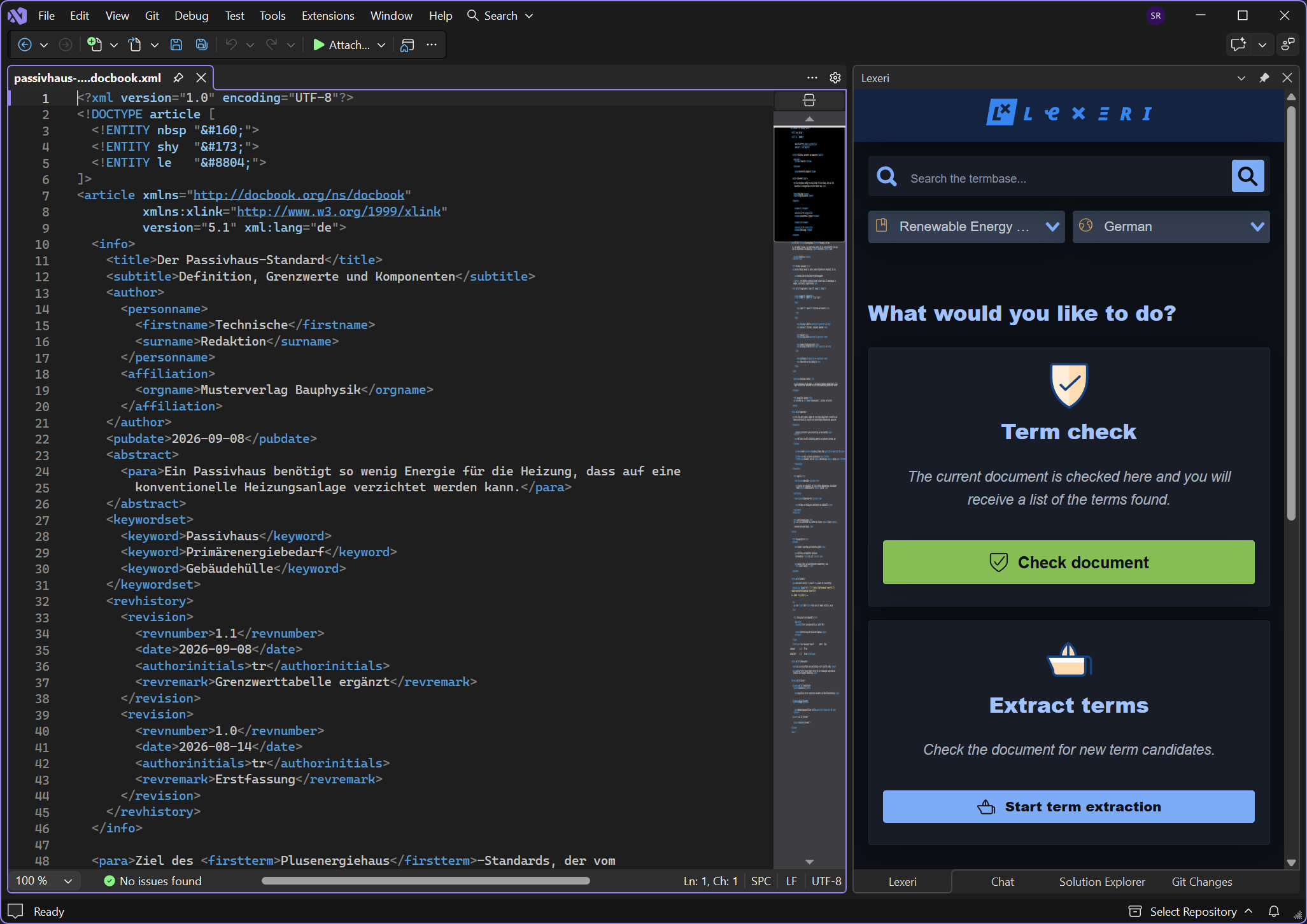
Lexeri checks the active document, even unsaved, and lists the terms found. The eye icon highlights the occurrence in the editor and scrolls to it.


Suggested improvements

For forbidden terms, Lexeri suggests a corrected sentence. “Accept suggestion” replaces it directly in the document, and Ctrl+Z undoes this in a single step. This feature requires the AI package.


Term search and term extraction

Search your termbases without leaving Visual Studio and find candidates for new terms in the active document.

Requirements

  • Visual Studio 2022 or 2026 (Community, Professional or Enterprise) on Windows
  • Microsoft Edge WebView2 Runtime – included in current versions of Windows; if it is missing, the Lexeri window links the download
  • A Lexeri account with access to at least one termbase

The extension checks the text of the active editor. It therefore works with any text-based file, e.g. RESX, JSON, XAML, XML, HTML or source code containing UI texts.

Improved term checks with NLP

Lexeri uses NLP language models to improve the quality of our term checks and can therefore automatically detect inflected forms, incorrect spellings or compounds.

Your benefits:
 

  • Improved term hits, even for inflected forms
  • No manual updating of alternative spellings, e.g. for compound terms

Learn more

Installing the Visual Studio extension

1. Open Manage Extensions

In Visual Studio, choose Extensions > Manage Extensions in the menu.

2. Search for Lexeri

Search for “Lexeri” and click Install.

On machines without access to the Marketplace, download the VSIX file from the Visual Studio Marketplace and install it by double-clicking it.

3. Restart Visual Studio

Close Visual Studio so the installation can complete, then restart it. From then on, Visual Studio installs updates automatically on restart.

4. Start the extension

Open the Lexeri window via View > Other Windows > Lexeri and sign in with your Lexeri account. You can then check the active document or search your termbase.

Lexeri integrations

Automatic term checks in external systems

In addition to the plug-ins with which you and your colleagues can check terminology directly while writing, Lexeri also provides solutions for term checks in external systems. These systems can include code repositories for software development, content management systems or PIM systems.

The integrations sync texts from these systems and run automatic term checks. The term hits are shown in Lexeri, and you can send corrections back to the connected system directly in Lexeri.

All integrations

Test Lexeri – simply and for free

Lexeri is the easy way to manage consistent corporate language throughout the organisation. Start your free 14-day trial now.

Your free trialSchedule a demo

Contact

Any questions?
We are here to help!