Features of the Oxygen plug-in

Check documents

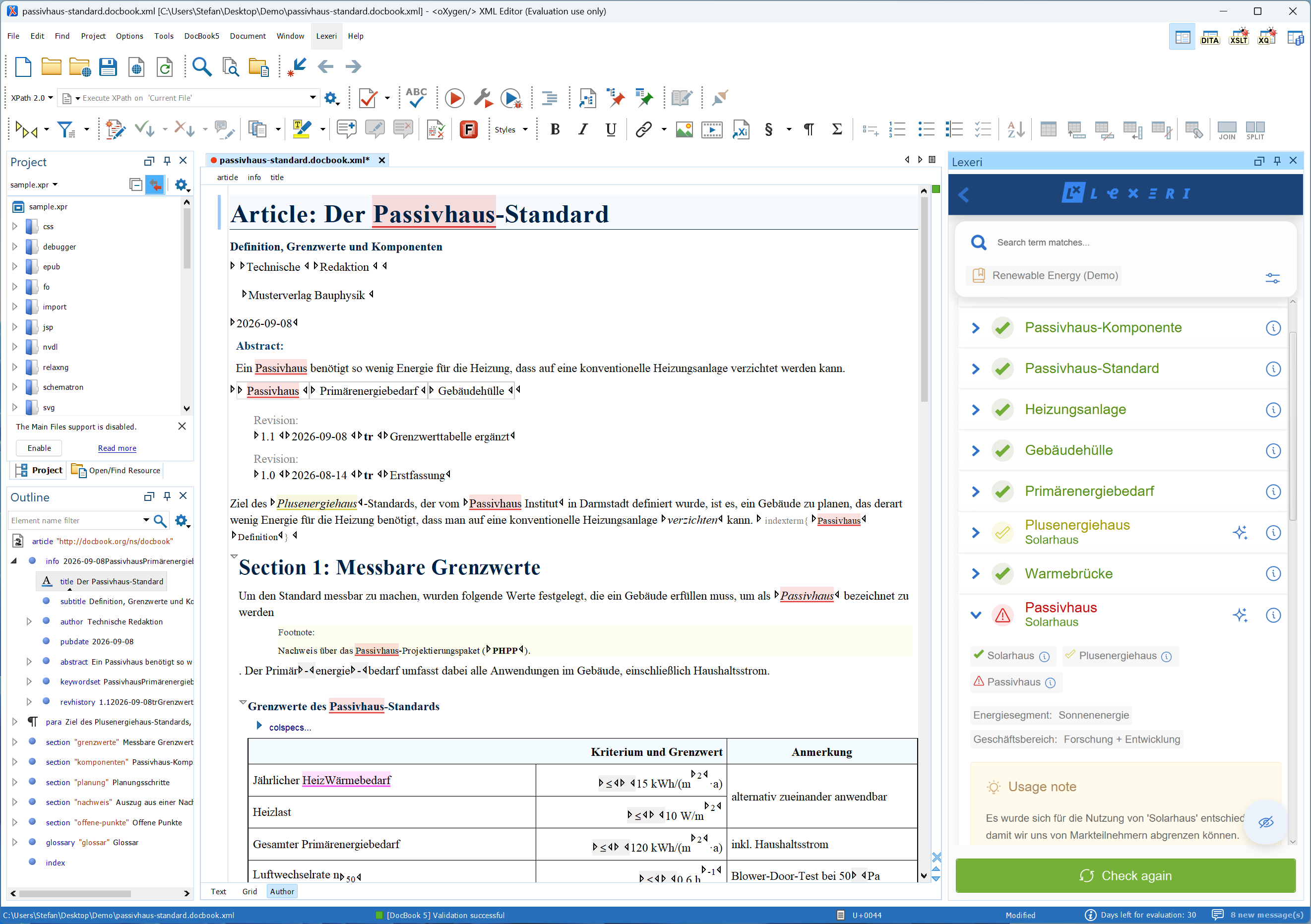
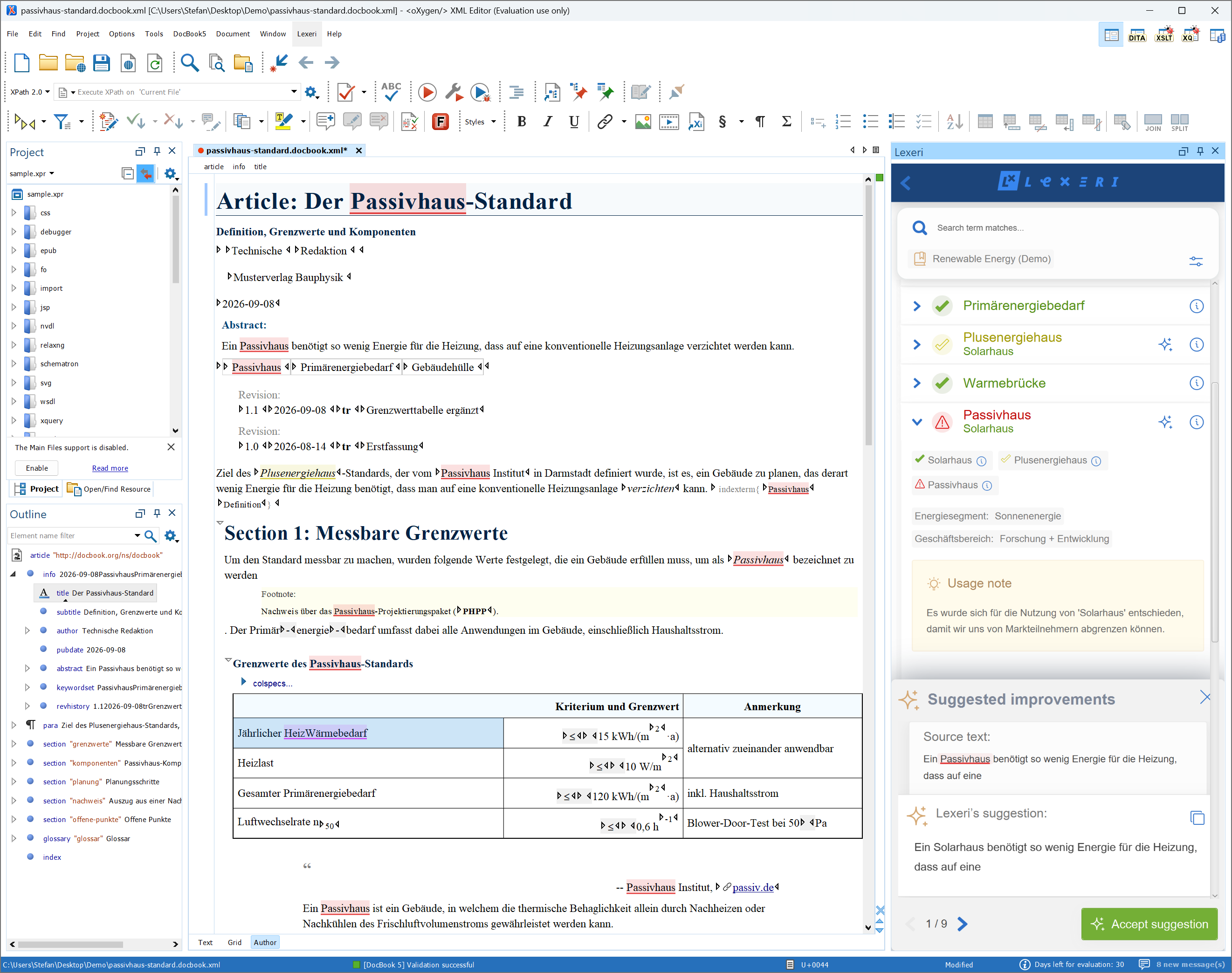
Check the open document with a single click. The sidebar lists all terms found, including their usage status, usage notes and further information.

Highlight terms in the document

Highlight the terms found directly in the text, so you see the hits not only in the list but in the right place in your document.

Search the termbase

Want to know which term has been defined for a concept? Search your termbase directly in the sidebar.

Replace terms

With the AI package, Lexeri suggests a wording with the preferred term for terms that are not recommended. Apply the suggestion to your document with a single click.

Requirements

  • Oxygen XML Editor is installed on your computer.
  • You have a Lexeri user account with access to the termbase you want to use for the term check.
  • Suggestions and term replacement require the AI package.

Beta version

The plug-in for Oxygen XML Editor is currently available as a beta version. Some features may still change. We look forward to your feedback at service@lexeri.com.

Open help centre article

Installing the Oxygen plug-in

1. Open the add-on manager

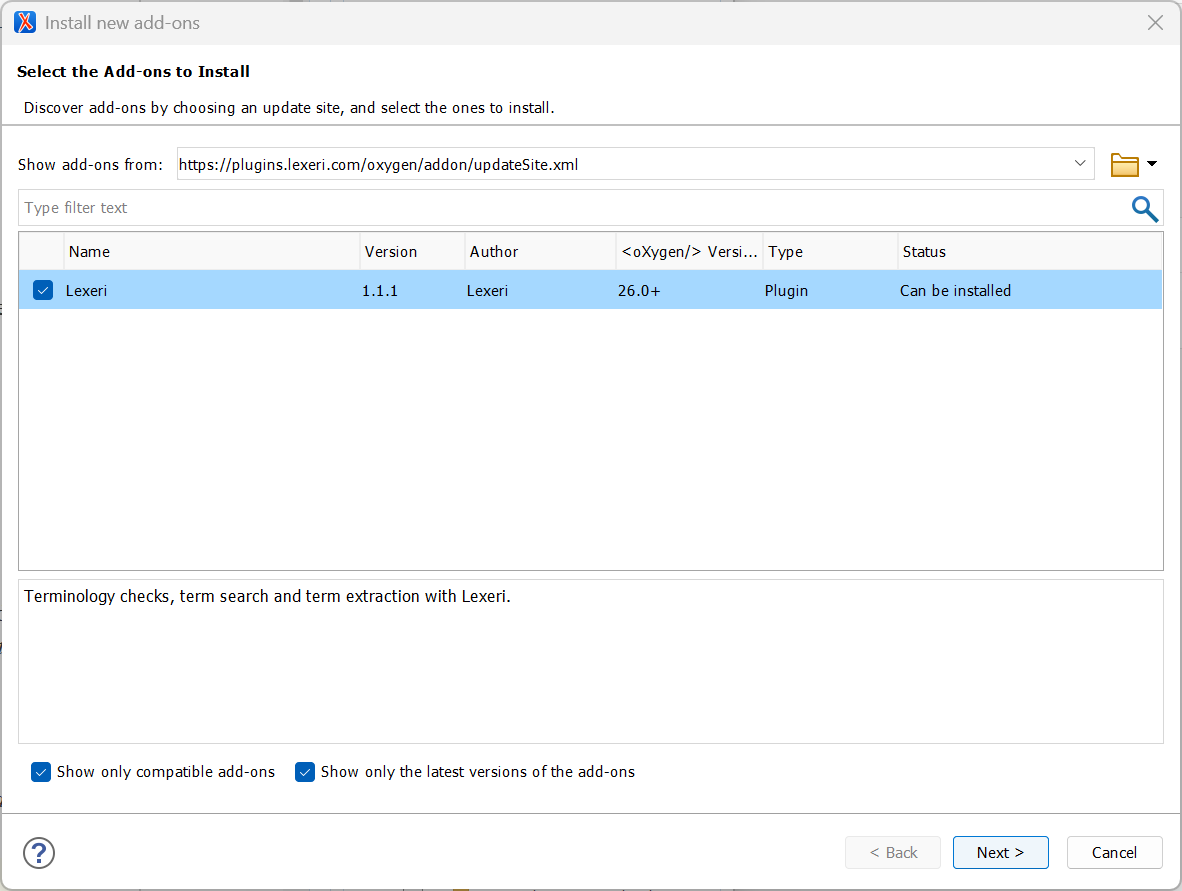
In Oxygen XML Editor, open the menu Help > Install new add-ons. Enter the following address in the field Show add-ons from and press Enter:

https://plugins.lexeri.com/oxygen/addon/updateSite.xml

2. Install the plug-in

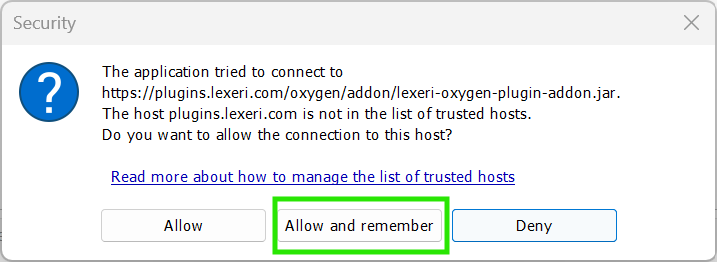
Select the Lexeri add-on in the list and follow the instructions of the installation wizard. Allow the connection to plugins.lexeri.com by clicking Allow and remember. Then restart Oxygen XML Editor.

3. Open the sidebar and log in

The menu bar now contains the Lexeri menu. Use it to open the Lexeri sidebar and log in with the email address of your Lexeri account. The sidebar stays open while you work on your document.

4. Check your document

Save the open document and start the term check in the Lexeri sidebar. Use the button with the eye icon to highlight the terms found in the document.

Natural language processing

Improved term checks with NLP

Lexeri uses NLP language models to improve the quality of our term checks and can therefore automatically detect inflected forms, incorrect spellings or compounds.

Your benefits:
 

  • Improved term hits, even for inflected forms
  • No manual updating of alternative spellings, e.g. for compound terms

Learn more

Learn more

Other plug-ins

Terminology should not gather dust in a database! Our plug-ins for a wide range of text applications and API-based integration options in various systems make terminology visible and check it directly in the documents and text environments for your entire staff. 

Show all plug-ins

Contact

Any questions?
We are here to help!