Features of the Flare plug-in

Check topics

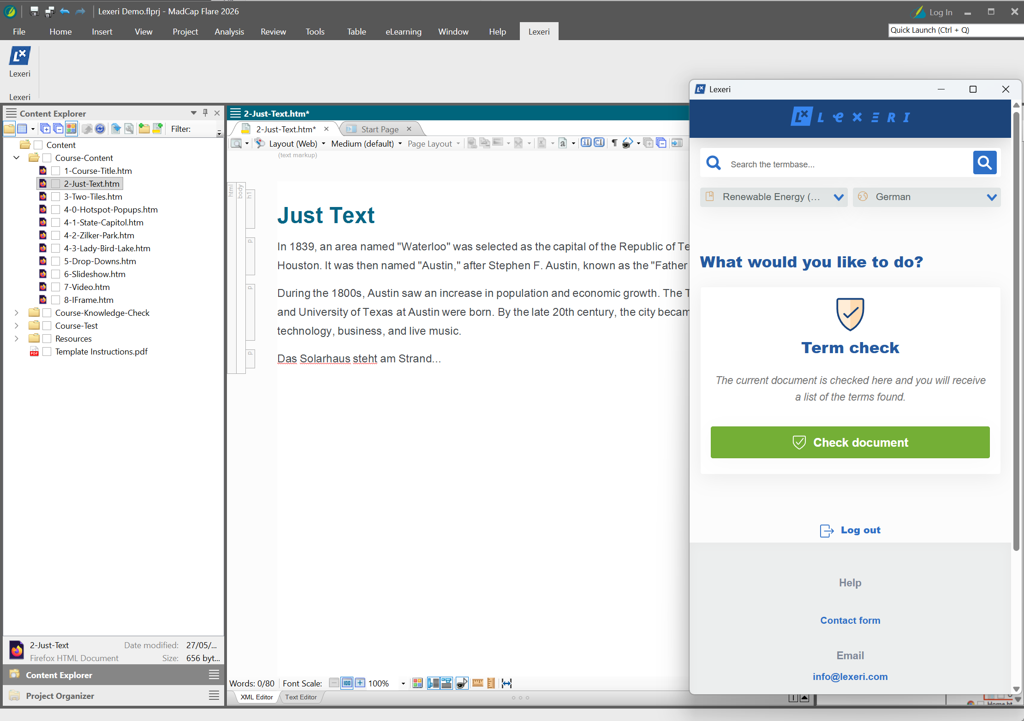
Check the active topic with a click on “Check document”. Term hits are listed neatly in the Lexeri window.

Incorrect spellings

Lexeri detects incorrect spellings of your terms, even if they are not entered in the termbase as forbidden terms.

Choose a termbase

Select the termbase and language for the term check in the Lexeri window. You stay logged in even after restarting Flare.

Requirements

  • Windows 10 or Windows 11
  • Microsoft Edge WebView2 Runtime (pre-installed on current Windows versions)
  • Administrator rights for the installation
  • MadCap Flare 2026 (the installer also detects Flare 2024 and 2025, but these versions are not tested)
  • A Lexeri user account with access to the termbase you want to use for the term check

Deployment and updates

For Intune, GPO and other software management tools, the plug-in can be installed silently.

The plug-in does not update itself: the new MSI file replaces the old version automatically. After installing a new Flare version, enable the plug-in in Windows under Apps & Features via Modify or Repair for “Lexeri for MadCap Flare”.

The help centre article lists all parameters and details.

Open help centre article (German)

Installing the Flare plug-in

1. Download the plug-in

Download the installer lexeri-flare-plugin-1.0.1.msi (version 1.0.1).

2. Run the installer

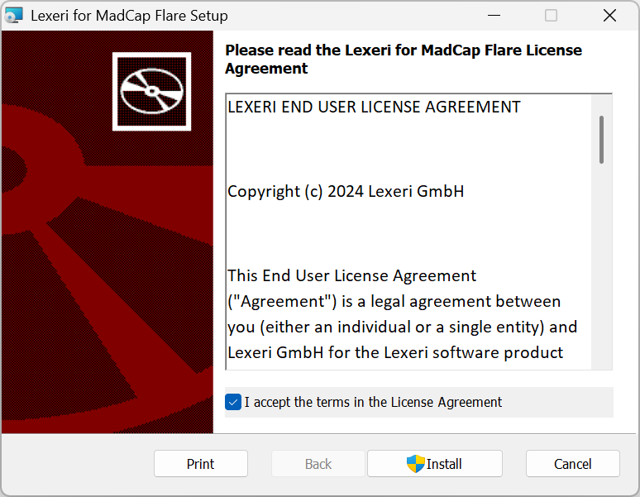
Close Flare and run the MSI file. Accept the licence agreement, click Install and confirm the User Account Control prompt. The installer detects the installed Flare versions automatically. Click Finish to complete the installation.

3. Enable the plug-in in Flare

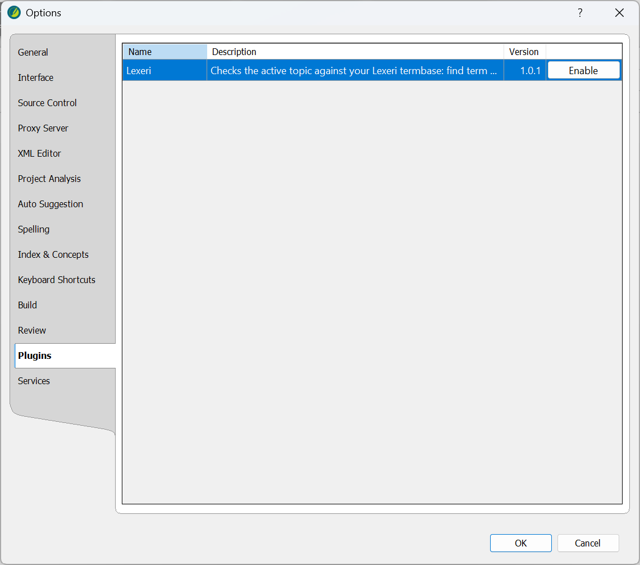
Start Flare and select File > Options > Plugins. Select Lexeri, click Enable and confirm with OK. Then restart Flare. You only need to enable the plug-in after the first installation.

4. Check a topic

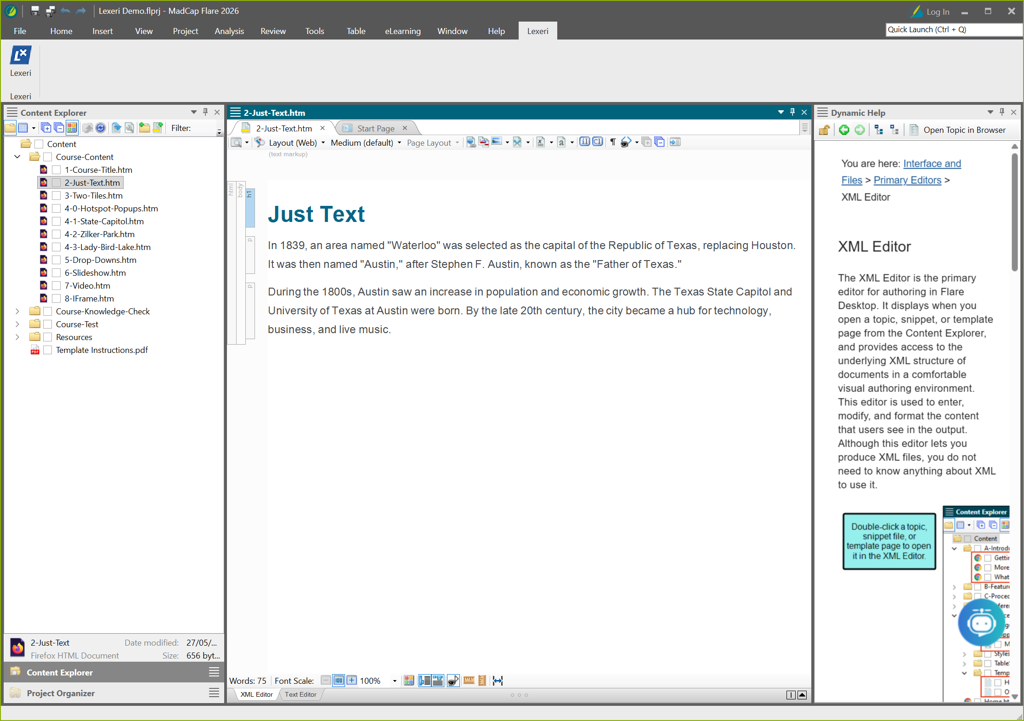
In the Lexeri ribbon tab, click the Lexeri button (in tool strip mode: Lexeri > Show Lexeri). Log in, select the termbase and language, and click Check document.

Natural language processing

Improved term checks with NLP

Lexeri uses NLP language models to improve the quality of our term checks and can therefore automatically detect inflected forms, incorrect spellings or compounds.

Your benefits:
 

  • Improved term hits, even for inflected forms
  • No manual updating of alternative spellings, e.g. for compound terms

Learn more

Learn more

Other plug-ins

Terminology should not gather dust in a database! Our plug-ins for a wide range of text applications and API-based integration options in various systems make terminology visible and check it directly in the documents and text environments for your entire staff. 

Show all plug-ins

Contact

Any questions?
We are here to help!